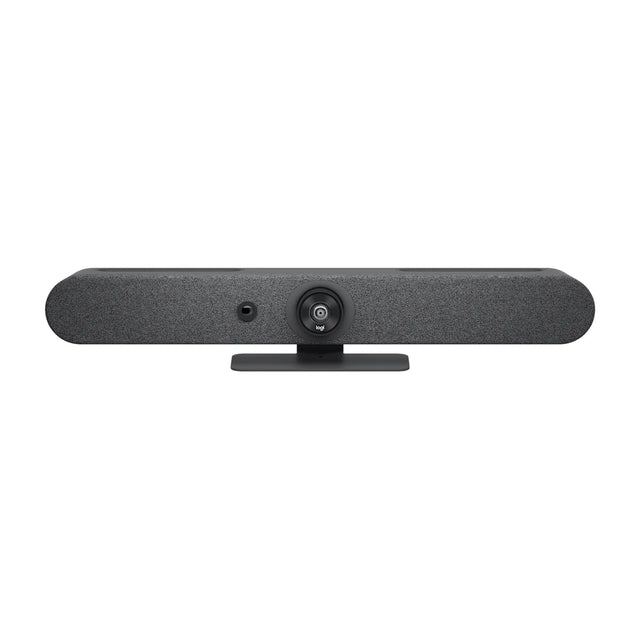
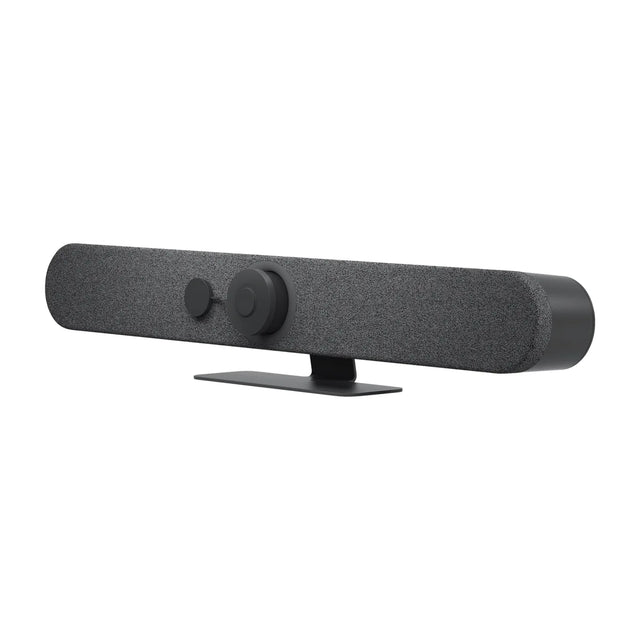
Teams Rooms devices give you one-touch join, room calendars and central management in the Teams admin center. These run Microsoft Teams Rooms themselves: all-in-one bars and kits first, then room PCs and certified controllers.

At a glance
| Model | Best for | Type | Price |
|---|---|---|---|
| Logitech Rally Bar Mini | Small, Medium | video bar | $3,124 |
| Cisco Room Bar | Huddle, Small | video bar | $4,466 |
| Poly Studio X52 | Small, Medium | video bar | $3,748 |
| Cisco Room Bar Pro | Small, Medium | video bar | $11,704 |
| Logitech Rally Bar | Medium, Large | video bar | $3,859 |
| Logitech RoomMate | Rally Plus, MeetUp and others | room PC | $1,186 |
| Barco ClickShare Hub Core | Small, Medium, Large | room PC | $2,900 |
| Logitech Tap IP | Rally Bar, Rally Bar Mini and others | touch controller | $862 |
Prices can change. Specs are manufacturer-published.
1. Logitech Rally Bar Mini

4K bar with motorized pan/tilt for small-medium rooms. Best for small and medium rooms. Runs Teams, Zoom and Google Meet natively and works over USB. Rally Bar Mini is the small-to-medium-room member of the Rally Bar family.
- Camera: 4K, motorized pan ±25° and tilt ±15°
- Field of view: 120° diagonal, 113° horizontal (163° x 110° total coverage)
- Zoom: 4X HD digital zoom
- Microphones: 6 beamforming MEMS mics, pickup up to 7 m
Rally Bar Mini guide · alternatives
2. Cisco Room Bar

12 MP all-in-one bar with Navigator for huddle rooms. Best for huddle and small rooms. Runs Webex and Teams natively and works over USB. The Cisco Room Bar is Cisco's entry room device: a compact bar with a 12 MP camera, stereo speakers and a beamforming mic array, sold with a Room Navigator touch controller.
- Camera: 12 MP, 1/2.3" CMOS, 30 fps
- Field of view: 120° horizontal, 95° vertical
- Zoom: 5x digital
- Microphones: 4-element beamforming array plus front-facing mics for speaker tracking
3. Poly Studio X52

4K 20MP all-in-one bar for mid-size rooms, no PC needed. Best for small and medium rooms. Runs Teams, Zoom and Google Meet natively and works over USB. The Poly Studio X52 is the mid-size model in the Studio X line.
- Camera: 20 MP 4K UHD, single lens, 30 fps
- Field of view: 95° horizontal, 110° diagonal
- Zoom: 5x digital
- Microphones: Two MEMS + two second-order microphones, pickup up to 20 ft
Studio X52 guide · alternatives
4. Cisco Room Bar Pro
Dual 48 MP cameras, 16 mics, 3 HDMI out, medium rooms. Best for small and medium rooms. Runs Webex and Teams natively and works over USB. The Room Bar Pro is Cisco's high-end video bar for small and medium rooms.
- Camera: Dual camera, two 48 MP 1/1.3" sensors (wide + telephoto), 30 fps
- Field of view: 112° horizontal (wide), 70° horizontal (tele)
- Zoom: 5x digital (10x with AI virtual lens)
- Microphones: 16-element beamforming array; up to 8 Cisco IP mics
Room Bar Pro guide · alternatives
5. Logitech Rally Bar

Motorized 4K PTZ, 15x zoom, medium to large rooms. Best for medium and large rooms. Runs Teams, Zoom and Google Meet natively and works over USB. Rally Bar is Logitech's original all-in-one video bar for medium and large rooms.
- Camera: 4K motorized PTZ, pan ±25°, tilt ±15°
- Field of view: 90° diagonal, 82.1° horizontal (132.1° x 82.2° total coverage)
- Zoom: 15X HD zoom (5X optical, 3X digital)
- Microphones: 6 beamforming MEMS mics, pickup up to 7 m
Rally Bar guide · alternatives
6. Logitech RoomMate

CollabOS compute appliance for Rally system and MeetUp. Works with Teams and Zoom. RoomMate is a small CollabOS computer that turns a USB conference camera into a PC-free meeting room appliance.
7. Barco ClickShare Hub Core

Teams Rooms on Android compute with ClickShare BYOD. Works with Teams and BYOD/USB. ClickShare Hub Core is a modular Microsoft Teams Rooms compute unit built on Android (MDEP), with ClickShare wireless sharing built in.
ClickShare Hub Core guide · alternatives
8. Logitech Tap IP

PoE touch controller for Rally Bar and RoomMate rooms. Pairs with the Rally Bar, Rally Bar Mini, Rally Bar Huddle and others. Works with Teams, Zoom and Google Meet. Tap IP is the network-connected version of Logitech's 10.1-inch room controller.
How to choose
- Match the room size. Count seats and measure the distance from the screen to the farthest seat.
- Pick your platform. Appliance devices run Teams Rooms, Zoom Rooms or Meet natively; USB devices work with any app on a laptop or room PC.
- Plan audio for the far seats. If people sit beyond the built-in pickup range, budget for expansion mics.
- Count the extras. Mount, controller, display, cabling and platform license.
Want a recommendation for your exact room? Send us the dimensions and seat count and we'll reply within one business day.
Related guides
- Best Conference Cameras for Microsoft Teams Rooms
- Microsoft Teams Rooms for medium rooms: equipment and setup
- Microsoft Teams Rooms for small rooms: equipment and setup
- How to Convert a Conference Room to Microsoft Teams Rooms
- How to Join Microsoft Teams Meetings from a Zoom Room
- How to Set Up Microsoft Teams Rooms: Step by Step
Outfitting several rooms, or reselling? Get a volume quote or apply for wholesale pricing →