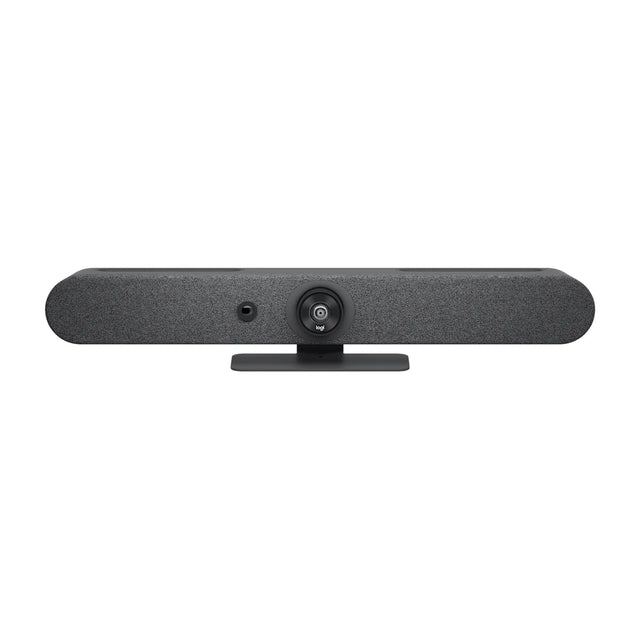
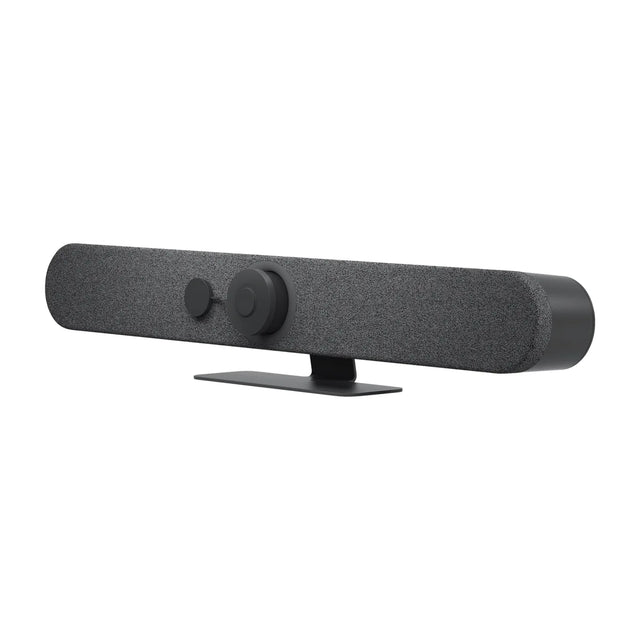
The best conference room camera for Microsoft Teams is a Teams-certified video bar matched to the room size: a compact bar like the Logitech Rally Bar Huddle for 2-6 people, a Logitech Rally Bar Mini or Poly Studio X52 for 6-12, and a Logitech Rally Bar or Neat Bar Pro for larger rooms. Pair it with a touch controller and it runs Teams Rooms on Android with no PC.

What "best for Teams" actually means
Teams works with almost any USB camera on a laptop. A real Teams room is different. It runs the Teams Rooms app on certified hardware, so people walk in, tap Join on the console, and the meeting starts. Three things matter:
- Certification. Microsoft certifies devices for Teams Rooms. Certified gear gets firmware through Microsoft's Teams device management or the vendor portal, and is supported by Microsoft and the manufacturer. See Teams Rooms certified devices.
- Appliance vs PC. Android video bars have the compute built in. Windows rooms use a small PC plus a USB camera. Both run Teams Rooms; Windows has a few extra features. Compare them in Teams Rooms on Windows vs Android.
- Room fit. Field of view, zoom and mic pickup must match the room. A wide 120° bar in a 30-foot room makes people at the far end look tiny.
Best Teams cameras by room size
| Room | Seats | Top picks | Why |
|---|---|---|---|
| Huddle | 2-6 | Logitech Rally Bar Huddle + Tap IP, Poly Studio X32, Jabra PanaCast 40 VBS | Wide lens for people close to the screen, all-in-one appliance |
| Small / medium | 6-12 | Logitech Rally Bar Mini + Tap IP, Poly Studio X52, Neat Bar Generation 2, Jabra PanaCast 50 Video Bar System | Balanced FOV and zoom, mics reach a mid-size table |
| Medium / large | 10-20 | Logitech Rally Bar + Tap IP, Logitech Rally Bar 2, Poly Studio X72, Neat Bar Pro | Optical or high-res zoom to frame the far end, expansion mics |
| Boardroom / custom | 16+ | Windows compute such as Poly Studio 7 Room Compute with Poly Studio E70 or Logitech Rally Plus | Separate camera, mics and speakers placed for the room |
Huddle rooms (2-6 people)
People sit within a few feet of the camera, so a wide lens matters more than zoom. The Rally Bar Huddle kit includes the Tap IP controller and runs Teams Rooms on Android out of the box. The Poly Studio X32 is a 4K 120° all-in-one bar powered over PoE++. The Jabra PanaCast 40 VBS uses a 180° panoramic view, which helps when chairs line the walls.
For a BYOD-only huddle space where people join from laptops instead of a Teams Room, a USB bar such as the Poly Studio V12 or Logitech MeetUp 2 is a lower-cost option. See Teams Rooms vs BYOD rooms.
Small and medium rooms (6-12 people)
This is the most common room, and where the choice is widest:
- Logitech Rally Bar Mini + Tap IP: 4K bar with motorized pan and tilt. Logitech rates the kit for rooms up to 12.
- Poly Studio X52: 4K 20 MP all-in-one bar with no PC needed. Add a Poly TC8 or TC10 controller.
- Neat Bar Generation 2: 50 MP 113° camera, ships with a Neat Pad controller.
- Jabra PanaCast 50 Video Bar System: 180° panoramic bar with touch controller included.
Large rooms (10-20 people)
The far end of the table may be 20 feet or more from the camera. You need real zoom and stronger mics:
- Logitech Rally Bar has motorized PTZ with 15x zoom. Add Rally Mic Pods for long tables.
- Logitech Rally Bar 2 uses a 1-inch sensor with a 115° view for sharp digital framing.
- Poly Studio X72 has dual 4K cameras for large rooms.
- Neat Bar Pro has dual 50 MP cameras with 16x hybrid zoom.
A second camera helps in deep rooms. A tabletop Logitech Sight next to a Rally Bar, or a Neat Center, captures faces that the front camera only sees from the side. Teams calls this multi-camera; see Teams Rooms IntelliFrame and multi-camera.
Boardrooms and custom rooms
Rooms over 20 seats, or with unusual shapes, are usually built on Teams Rooms on Windows: a certified compute unit, a separate PTZ or smart camera, ceiling or table mics and a DSP. This costs more and takes more install work, but it is the only way to cover a 30-foot table well. See boardroom video conferencing.
Other equipment a Teams room needs
| Item | Notes |
|---|---|
| Touch controller | Included in most kits; otherwise Logitech Tap IP or a Poly TC8/TC10 |
| Display | One or two commercial displays; see what size TV for a conference room |
| Mounting | TV or wall mount for the bar; see video bar mounting |
| Room panel (optional) | Logitech Tap Scheduler or Neat Pad Generation 2 outside the door |
| License | Teams Rooms Basic or Pro per room; see Teams Rooms license cost |
More options are in our best Microsoft Teams Rooms devices roundup.
Send us your room size and seat count through our free room planning form and we'll match a Teams kit to it.
Related guides
Outfitting several rooms, or reselling? Get a volume quote or apply for wholesale pricing →