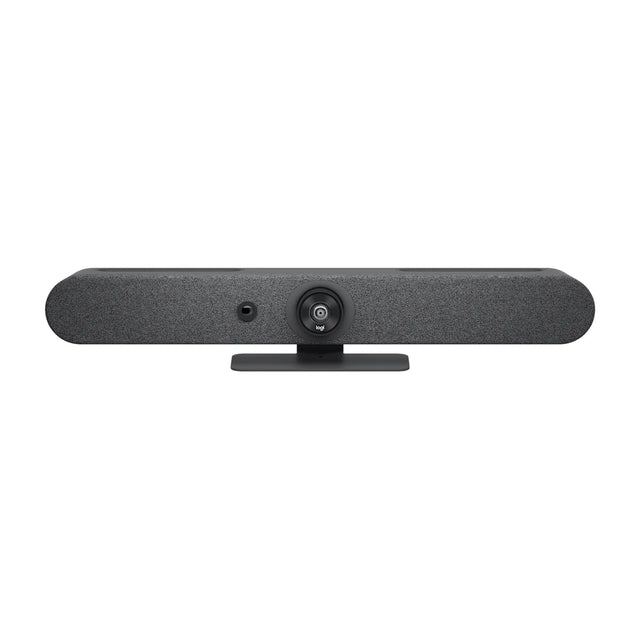
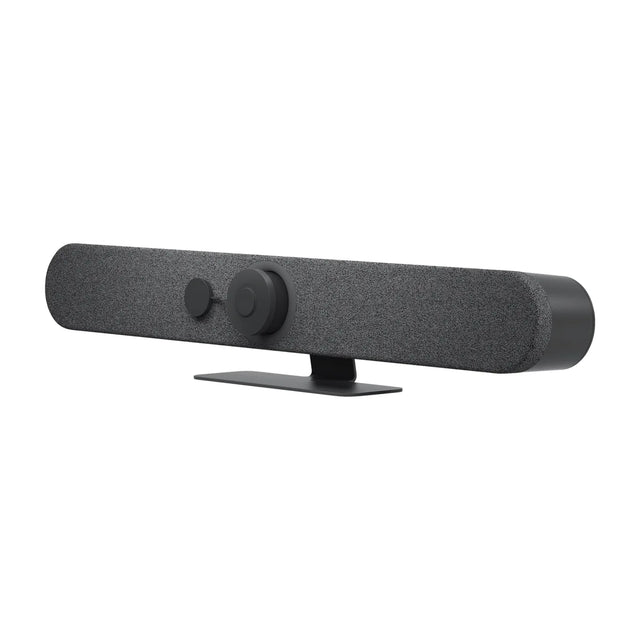
Logitech Rally Bar Huddle
Compact 4K appliance bar for huddle and small rooms
- Camera
- 4K digital PTZ
- Field of view
- 120° diagonal
- Zoom
- 4X HD digital zoom
- Microphones
- 6 omnidirectional MEMS mics
In-stock orders placed by 2 pm ET ship the next business day.
Outfitting several rooms? Get free room planning and a volume quote →
Compare the Logitech Rally Bar Huddle with other video systems →| Camera | 4K digital PTZ, digital pan ±48° and tilt ±32° at 4x zoom |
|---|---|
| Field of view | 120° diagonal, 113° horizontal, 80° vertical |
| Zoom | 4X HD digital zoom |
| Microphones | 6 omnidirectional MEMS mics, pickup up to 7 m (23 ft) |
| Speakers | 1 x 55 mm full-range with bass reflex, 8W |
| Video out/in | 1 x HDMI out, 1 x HDMI in |
| USB | 1x USB-A 3.1, 1x USB-C 3.1 |
| Network | 10/100/1G Ethernet, Wi-Fi 802.11a/b/g/n/ac, Bluetooth LE |
| Privacy | Integrated motorized privacy shutter |
| Mounting | Multi-Mount included (wall, table, above display) |
| Dimensions | 78.9 x 549.6 x 76 mm |
| Weight | 1.8 kg (3.97 lb) |
| Warranty | 2 years (1- and 3-year extensions available) |
In the box
About the Logitech Rally Bar Huddle
Rally Bar Huddle is Logitech's entry-level appliance video bar for huddle and small rooms. It runs CollabOS, so Teams Rooms, Zoom Rooms or Google Meet run on the bar itself with a Tap or Tap IP controller, with no room PC needed. It also works in USB mode with a room PC or laptop.
It uses a fixed 4K wide-angle lens (120° diagonal) with digital pan, tilt and zoom, plus a motorized privacy shutter. Six mics cover about 7 m and a single 55 mm speaker fills a small room. The included Multi-Mount handles wall, table and above-display installs.
Limits to know: one HDMI output, no AI Viewfinder (so no out-of-meeting room insights), and no external mic expansion listed. For rooms that need mic pods or dual displays, step up to Rally Bar Mini. For a USB-only small room without an appliance, MeetUp 2 costs less.
Good to know
Does Rally Bar Huddle need a room license?
A platform license (Teams Rooms, Zoom Rooms or Google Meet) is needed when it runs a video service in appliance mode. No license is needed in BYOD mode.
Can I share my laptop screen over USB-C?
No. The USB-C port connects it to a PC or laptop as a camera, mic and speaker. It does not take video input. Use HDMI in, or wireless casting in appliance mode.
Can I add external Mic Pods?
Logitech does not list external mic support for Rally Bar Huddle. If you need extra mics, Rally Bar Mini supports Rally Mic Pods.
Does it support HDCP-protected content?
No. Logitech states HDCP-protected content can't be shared through its HDMI input or a connected Tap's HDMI input.

Mounts and add-ons that fit


Setup guides and answers
- Logitech Rally Bar Huddle: price, specs, room size
- Logitech Rally Bar Huddle price and total room cost
- Logitech Rally Bar Huddle specs, dimensions and weight
- How to mount the Logitech Rally Bar Huddle
- How to set up the Logitech Rally Bar Huddle
- Logitech Rally Bar Huddle with Teams, Zoom and Google Meet
- Logitech Rally Bar Huddle not working? Fixes
- How to factory reset the Logitech Rally Bar Huddle