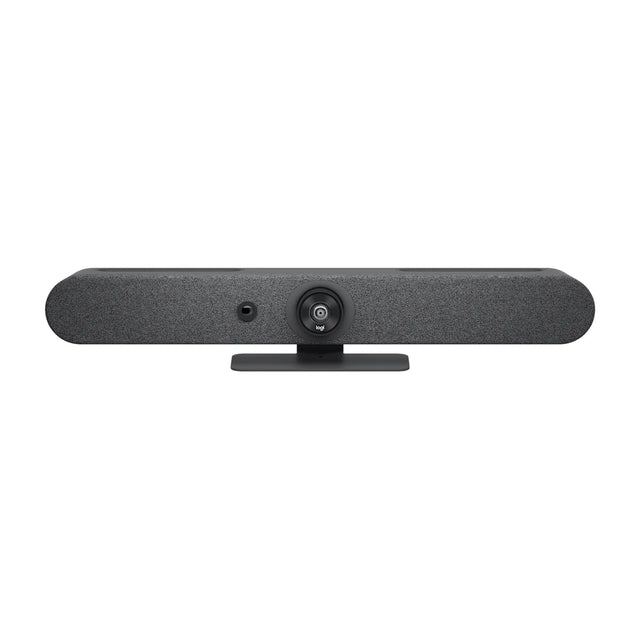
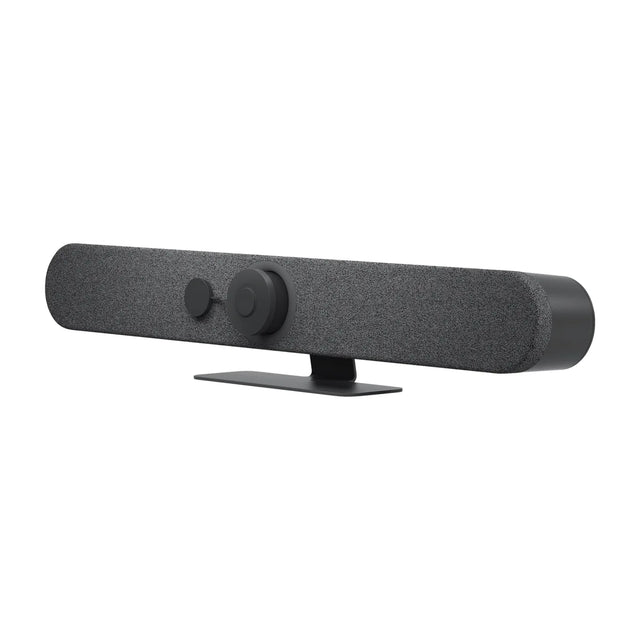
The Logitech Rally Bar Huddle is a video bar for huddle and small rooms. This guide covers price, room size, Teams, Zoom and Google Meet support, what's in the box and how it compares.

Quick facts
| Spec | Detail |
|---|---|
| Price | $2,299 |
| Part number | 960-001485 |
| Best for | Huddle and small rooms |
| Platforms | Teams, Zoom, Google Meet and BYOD/USB |
| Mode | Appliance + USB |
| Camera | 4K digital PTZ, digital pan ±48° and tilt ±32° at 4x zoom |
| Field of view | 120° diagonal, 113° horizontal, 80° vertical |
| Zoom | 4X HD digital zoom |
What is the Rally Bar Huddle?
Rally Bar Huddle is Logitech's entry-level appliance video bar for huddle and small rooms. It runs CollabOS, so Teams Rooms, Zoom Rooms or Google Meet run on the bar itself with a Tap or Tap IP controller, with no room PC needed. It also works in USB mode with a room PC or laptop.
It uses a fixed 4K wide-angle lens (120° diagonal) with digital pan, tilt and zoom, plus a motorized privacy shutter. Six mics cover about 7 m and a single 55 mm speaker fills a small room. The included Multi-Mount handles wall, table and above-display installs.
Limits to know: one HDMI output, no AI Viewfinder (so no out-of-meeting room insights), and no external mic expansion listed. For rooms that need mic pods or dual displays, step up to Rally Bar Mini. For a USB-only small room without an appliance, MeetUp 2 costs less.
Who the Rally Bar Huddle is for
- Good fit: huddle and small rooms; rooms that standardize on Teams, Zoom and Google Meet and want one-touch join without a PC.
- Skip it for: rooms bigger than small: look at the Bar Generation 2; for rooms that need mic pods or dual displays, step up to Rally Bar Mini.
How much does the Rally Bar Huddle cost?
The Rally Bar Huddle is $2,299. Pricing for multiple rooms, education and government is available on request. See the Rally Bar Huddle price and availability or get a quote for multiple rooms. Price and total room cost
What size room is the Rally Bar Huddle for?
We recommend it for huddle rooms (2–4 people) and small rooms (4–6 people). Microphones: 6 omnidirectional MEMS mics, pickup up to 7 m (23 ft). Field of view: 113° horizontal. Room size details
Does the Rally Bar Huddle work with Teams, Zoom and Google Meet?
It runs Microsoft Teams Rooms, Zoom Rooms and Google Meet natively. In USB mode it also works with any app on a laptop. Platform details
What's in the box
- Rally Bar Huddle
- Multi-Mount
- Power supply
- AC power cord
- HDMI cable
- USB cable
Rally Bar Huddle vs similar video bars
| Model | Brand | Rooms | Camera | Field of view | Microphones | Price |
|---|---|---|---|---|---|---|
| Rally Bar Huddle | Logitech | Huddle, Small | 4K digital PTZ, digital pan ±48° and tilt ±32° at 4x zoom | 120° diagonal, 113° horizontal, 80° vertical | 6 omnidirectional MEMS mics, pickup up to 7 m (23 ft) | $2,299 |
| MeetUp 2 | Logitech | Huddle, Small | 4K digital PTZ, digital pan ±48° and tilt ±32° at 4x zoom | 120° diagonal, 113° horizontal, 80° vertical | 6 omnidirectional MEMS mics, pickup up to 7 m (23 ft) | $1,124 |
| Rally Bar Mini | Logitech | Small, Medium | 4K, motorized pan ±25° and tilt ±15° | 120° diagonal, 113° horizontal (163° x 110° total coverage) | 6 beamforming MEMS mics, pickup up to 7 m | $3,124 |
| Studio X32 | Poly | Huddle, Small | 20 MP, 4K UHD, single lens, fixed focus | 120° horizontal, 132° diagonal | Four MEMS microphones, pickup up to 15 ft | $1,706 |
Rally Bar Huddle vs MeetUp 2: full comparison · All Rally Bar Huddle alternatives
Rally Bar Huddle compared with
- Rally Bar Huddle vs Rally Bar Mini
- Rally Bar Huddle vs MeetUp 2
- Rally Bar Huddle vs MeetUp
- Rally Bar Huddle vs AVer VB150
Accessories for the Rally Bar Huddle
- Logitech Extend: Single-cable USB-C BYOD extender for Rally Bar rooms
- Logitech TV Mount for Video Bars: VESA swing-arm mount for Rally Bar, Mini and Huddle
- Logitech Tap IP: PoE touch controller for Rally Bar and RoomMate rooms
All Rally Bar Huddle accessories
FAQ
Does Rally Bar Huddle need a room license?
A platform license (Teams Rooms, Zoom Rooms or Google Meet) is needed when it runs a video service in appliance mode. No license is needed in BYOD mode.
Can I share my laptop screen over USB-C?
No. The USB-C port connects it to a PC or laptop as a camera, mic and speaker. It does not take video input. Use HDMI in, or wireless casting in appliance mode.
Can I add external Mic Pods?
Logitech does not list external mic support for Rally Bar Huddle. If you need extra mics, Rally Bar Mini supports Rally Mic Pods.
Does it support HDCP-protected content?
No. Logitech states HDCP-protected content can't be shared through its HDMI input or a connected Tap's HDMI input.
Where is the Rally Bar Huddle manual?
Logitech publishes it: Rally Bar Huddle user manual (PDF).
More Rally Bar Huddle guides
- Rally Bar Huddle: setup guide
- Rally Bar Huddle: troubleshooting
- Rally Bar Huddle: firmware updates
- Rally Bar Huddle: mounting and placement
- Rally Bar Huddle: Teams, Zoom and Google Meet
- Rally Bar Huddle: what room size it covers
- Rally Bar Huddle: price and total room cost
- Rally Bar Huddle: full specs
- Rally Bar Huddle: alternatives compared
- Rally Bar Huddle: accessories
- Rally Bar Huddle: factory reset
- Rally Bar Huddle: admin login and settings
- All Logitech video bars compared
Specs are Logitech's published figures. Prices can change.
Related guides
- Logitech Rally Bar Huddle + Tap IP: price, specs, room size
- Logitech Rally Bar Mini: price, specs, room size
- Logitech Rally Bar Mini + Tap IP: price, specs, room size
- Logitech Rally Bar: price, specs, room size
- Barco ClickShare Bar Core: price, specs, room size
- Barco ClickShare Bar Pro: price, specs, room size
Outfitting several rooms, or reselling? Get a volume quote or apply for wholesale pricing →