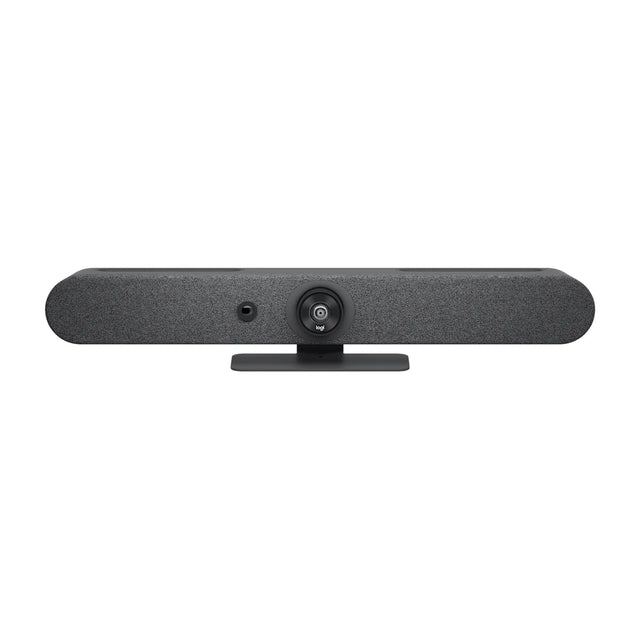
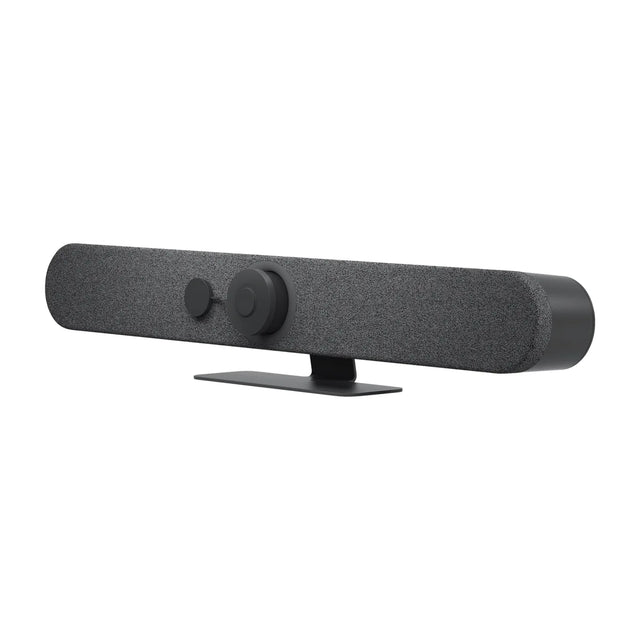
The Barco ClickShare Bar Pro is a video bar for huddle and small rooms. This guide covers price, room size, Teams, Zoom and Google Meet support, what's in the box and how it compares.

Quick facts
| Spec | Detail |
|---|---|
| Price | $4,187 |
| Part number | R9861633USB2 |
| Best for | Huddle and small rooms |
| Platforms | BYOD/USB |
| Mode | USB |
| Camera | 4K/1080p/720p at 30 fps, 3x zoom/ePTZ, 120° FOV |
| Microphones | 6 beamforming MEMS, up to 4 m (13 ft) pickup |
| Speakers | 2 x 10 W stereo, full duplex |
What is the ClickShare Bar Pro?
The ClickShare Bar Pro is the premium ClickShare video bar. It adds dual-screen output, a wired USB-C video input, speaker tracking and touch interactivity to the Bar Core's 4K camera, six-mic array and stereo speakers.
It is for small rooms and huddle spaces that run meetings from laptops on any platform and want one device on the wall instead of a base unit plus separate camera and audio.
Who the ClickShare Bar Pro is for
- Good fit: huddle and small rooms; BYOD rooms and PC-based rooms, where any meeting app has to work.
- Skip it for: rooms bigger than small: look at the Bar Generation 2; rooms that want one-touch join with no PC (pick an appliance bar); it is for small rooms and huddle spaces that run meetings from laptops on any platform and want one device on the wall instead of a base unit plus separate camera and audio.
How much does the ClickShare Bar Pro cost?
The ClickShare Bar Pro is $4,187. Pricing for multiple rooms, education and government is available on request. See the ClickShare Bar Pro price and availability or get a quote for multiple rooms. Price and total room cost
What size room is the ClickShare Bar Pro for?
We recommend it for huddle rooms (2–4 people) and small rooms (4–6 people). Microphones: 6 beamforming MEMS, up to 4 m (13 ft) pickup. Room size details
Does the ClickShare Bar Pro work with Teams, Zoom and Google Meet?
It isn't platform-certified, but it works over USB as a standard device with Teams, Zoom, Google Meet, Webex and other apps. It's a USB device: plug it into a laptop or room PC and it shows up as a camera, microphone and speaker in any meeting app. Platform details
What's in the box
- ClickShare Bar Pro
- 2 ClickShare Buttons (Gen 4)
ClickShare Bar Pro vs similar video bars
| Model | Brand | Rooms | Camera | Microphones | Speakers | Price |
|---|---|---|---|---|---|---|
| ClickShare Bar Pro | Barco | Huddle, Small | 4K/1080p/720p at 30 fps, 3x zoom/ePTZ, 120° FOV | 6 beamforming MEMS, up to 4 m (13 ft) pickup | 2 x 10 W stereo, full duplex | $4,187 |
| ClickShare Bar Core | Barco | Huddle, Small | 4K, 3x zoom/ePTZ, 120° FOV | 6 beamforming MEMS, up to 4 m (13 ft) pickup | 2 x 10 W stereo, full duplex | $2,650 |
| Rally Bar Mini | Logitech | Small, Medium | 4K, motorized pan ±25° and tilt ±15° | 6 beamforming MEMS mics, pickup up to 7 m | 70 mm woofer (8W) + 2 x 43 mm midrange (4W) | $3,124 |
| ThinkSmart One Pro + IP Controller | Lenovo | Huddle, Small | FHD 1080p; 125° diagonal, 100° horizontal, 68° vertical FOV | 8 mics, 180° capture, 6 m pickup | 2 x 15 W, 85 ±3 dB SPL | $3,845 |
ClickShare Bar Pro vs ClickShare Bar Core: full comparison · All ClickShare Bar Pro alternatives
ClickShare Bar Pro compared with
- ClickShare Bar Pro vs AVer VB150
- ClickShare Bar Pro vs Cisco Room Bar
- ClickShare Bar Pro vs Neat Bar Generation 2
- ClickShare Bar Pro vs Lenovo ThinkSmart One Pro + IP Controller
Accessories for the ClickShare Bar Pro
- Barco ClickShare Button (4th Gen): USB-C ClickShare Button for one-click sharing
FAQ
What does Pro add over Core?
Dual screen, a wired USB-C video input, speaker tracking, two sources on screen, touch interactivity and two Buttons.
Does it need a room PC?
No. Meetings run on the presenter's laptop over ClickShare.
More ClickShare Bar Pro guides
- ClickShare Bar Pro: setup guide
- ClickShare Bar Pro: troubleshooting
- ClickShare Bar Pro: mounting and placement
- ClickShare Bar Pro: Teams, Zoom and Google Meet
- ClickShare Bar Pro: what room size it covers
- ClickShare Bar Pro: price and total room cost
- ClickShare Bar Pro: full specs
- ClickShare Bar Pro: alternatives compared
- All Barco video bars compared
Specs are Barco's published figures. Prices can change.
Related guides
- Barco ClickShare Bar Core: price, specs, room size
- Barco ClickShare Bar Pro price and total room cost
- Barco ClickShare Bar Pro specs, dimensions and weight
- Barco ClickShare Bar Pro room size: how many people?
- Barco ClickShare Bar Core price and total room cost
- Barco ClickShare Bar Core specs, dimensions and weight
Outfitting several rooms, or reselling? Get a volume quote or apply for wholesale pricing →