
Ships within 1 week
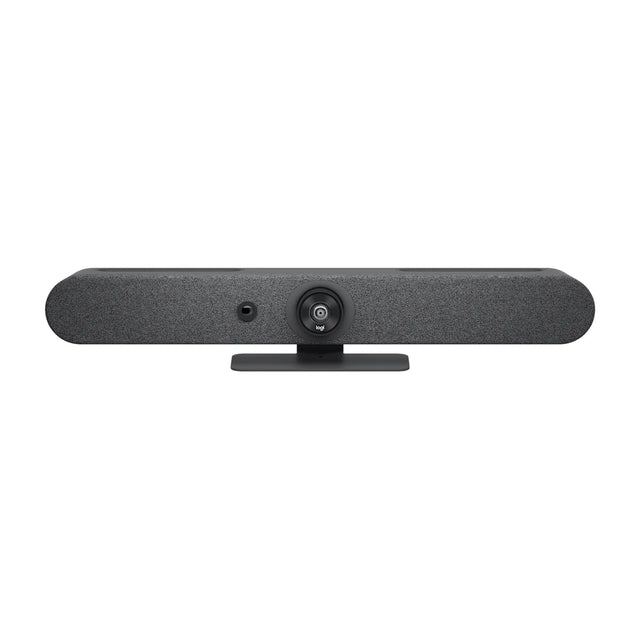
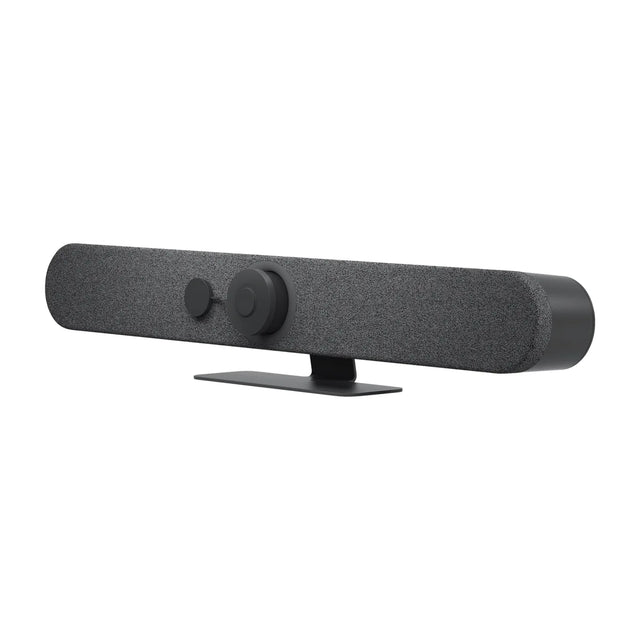
Barco ClickShare Bar Pro
Wireless BYOD video bar, dual screen, speaker tracking
Works withBYOD / USB
- Camera
- 4K/1080p/720p at 30 fps
- Camera AI
- Group framing
- Microphones
- 6 beamforming MEMS
- Speakers
- 2 x 10 W stereo
$4,187 USD
Ships within 1 week.
Brand new, US modelFull Barco manufacturer warranty
Free room planningTell us the room, we spec the kit
30-day returnsUnopened, in original packaging
Outfitting several rooms? Get free room planning and a volume quote →
Compare the Barco ClickShare Bar Pro with other video systems →| Camera | 4K/1080p/720p at 30 fps, 3x zoom/ePTZ, 120° FOV |
|---|---|
| Camera AI | Group framing, speaker framing and tracking, composition mode up to 4 people |
| Microphones | 6 beamforming MEMS, up to 4 m (13 ft) pickup |
| Speakers | 2 x 10 W stereo, full duplex |
| Video output | 4K @ 30 Hz or 2 x 1080p @ 30 Hz; HDMI 1.4b or USB-C DP Alt Mode |
| Video input | USB-C DP Alt Mode, 4K @ 30 Hz |
| Buttons included | 2 |
| Interactivity | Touchback, annotation, blackboarding |
| Connections | USB-C 3.1 (DP) to screen, USB-C 3.1 (DP) input, USB-A 2.0, Gigabit LAN, USB-C 2.0 (side) |
| Dimensions | 98 x 640 x 101 mm |
| Weight | 2500 g |
| Warranty | 1 year; 5 years with SmartCare registration |
In the box
ClickShare Bar Pro2 ClickShare Buttons (Gen 4)
Overview
About the Barco ClickShare Bar Pro
The ClickShare Bar Pro is the premium ClickShare video bar. It adds dual-screen output, a wired USB-C video input, speaker tracking and touch interactivity to the Bar Core's 4K camera, six-mic array and stereo speakers.
It is for small rooms and huddle spaces that run meetings from laptops on any platform and want one device on the wall instead of a base unit plus separate camera and audio.
Questions
Good to know
What does Pro add over Core?
Dual screen, a wired USB-C video input, speaker tracking, two sources on screen, touch interactivity and two Buttons.
Does it need a room PC?
No. Meetings run on the presenter's laptop over ClickShare.

Barco ClickShare Bar Pro$4,187 USD
Made for the Barco ClickShare Bar Pro
All accessories →Mounts and add-ons that fit

Guides
Setup guides and answers
- Barco ClickShare Bar Pro: price, specs, room size
- Barco ClickShare Bar Pro price and total room cost
- Barco ClickShare Bar Pro specs, dimensions and weight
- How to mount the Barco ClickShare Bar Pro
- How to set up the Barco ClickShare Bar Pro
- Barco ClickShare Bar Pro with Teams, Zoom and Google Meet
- Barco ClickShare Bar Pro not working? Fixes
- Barco ClickShare Bar Pro alternatives compared
Alternatives
View all Compare with similar video bars




Your history