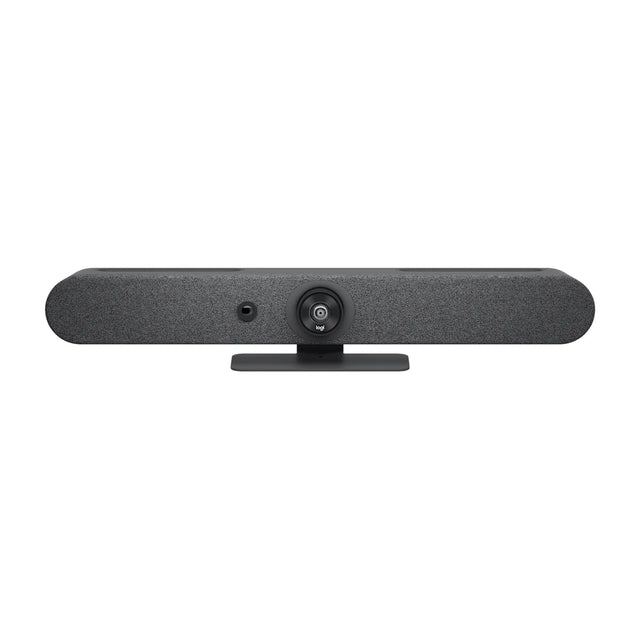
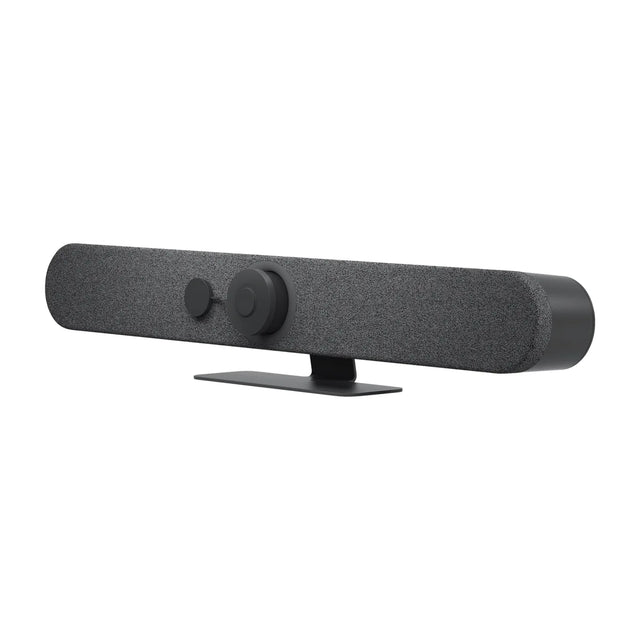
The Cisco Room Bar is a video bar for huddle and small rooms. This guide covers price, room size, Teams, Zoom and Google Meet support, what's in the box and how it compares.

Quick facts
| Spec | Detail |
|---|---|
| Price | $4,466 |
| Part number | CS-BAR-T-K9 |
| Best for | Huddle and small rooms |
| Platforms | Webex, Teams and BYOD/USB |
| Mode | Appliance + USB |
| Camera | 12 MP, 1/2.3" CMOS, 30 fps |
| Field of view | 120° horizontal, 95° vertical |
| Zoom | 5x digital |
What is the Room Bar?
The Cisco Room Bar is Cisco's entry room device: a compact bar with a 12 MP camera, stereo speakers and a beamforming mic array, sold with a Room Navigator touch controller. It runs Cisco RoomOS with native Webex, or Microsoft Teams Rooms on Android.
Cisco sizes the built-in mics for huddle spaces and small rooms of up to 5 people within about 3 m. For bigger rooms, add one external mic (analog or one Cisco IP mic over the PoE port).
It drives one or two screens and takes an HDMI or USB-C laptop input. Bundles come with the Navigator on a table stand or wall mount. If you only need a USB camera/audio bar for laptops, the Room Bar BYOD version skips the Navigator.
Who the Room Bar is for
- Good fit: huddle and small rooms; rooms that standardize on Webex and Teams and want one-touch join without a PC.
- Skip it for: rooms bigger than small: look at the Bar Generation 2.
How much does the Room Bar cost?
The Room Bar is $4,466. Pricing for multiple rooms, education and government is available on request. See the Room Bar price and availability or get a quote for multiple rooms. Price and total room cost
What size room is the Room Bar for?
We recommend it for huddle rooms (2–4 people) and small rooms (4–6 people). Microphones: 4-element beamforming array plus front-facing mics for speaker tracking. Field of view: 120° horizontal. Room size details
Does the Room Bar work with Teams, Zoom and Google Meet?
It runs Webex and Microsoft Teams Rooms natively. In USB mode it also works with any app on a laptop. Platform details
What's in the box
- Room Bar
- Room Navigator with table stand
- HDMI 2.0 cable, 1.5 m
- Power supply (PSU-12VDC-86W)
- Camera privacy cover
- Flat Ethernet cable for Room Navigator, 8 m
- Mounting kit
Room Bar vs similar video bars
| Model | Brand | Rooms | Camera | Field of view | Microphones | Price |
|---|---|---|---|---|---|---|
| Room Bar | Cisco | Huddle, Small | 12 MP, 1/2.3" CMOS, 30 fps | 120° horizontal, 95° vertical | 4-element beamforming array plus front-facing mics for speaker tracking | $4,466 |
| Room Bar Pro | Cisco | Small, Medium | Dual camera, two 48 MP 1/1.3" sensors (wide + telephoto), 30 fps | 112° horizontal (wide), 70° horizontal (tele) | 16-element beamforming array; up to 8 Cisco IP mics | $11,704 |
| Rally Bar Mini | Logitech | Small, Medium | 4K, motorized pan ±25° and tilt ±15° | 120° diagonal, 113° horizontal (163° x 110° total coverage) | 6 beamforming MEMS mics, pickup up to 7 m | $3,124 |
| Studio X32 | Poly | Huddle, Small | 20 MP, 4K UHD, single lens, fixed focus | 120° horizontal, 132° diagonal | Four MEMS microphones, pickup up to 15 ft | $1,706 |
Compare side by side · All Room Bar alternatives
Room Bar compared with
- Room Bar vs Barco ClickShare Bar Pro
- Room Bar vs Neat Bar Generation 2
- Room Bar vs Jabra PanaCast 40 VBS
- Room Bar vs Logitech Rally Bar Huddle
Accessories for the Room Bar
- Cisco Ceiling Microphone Pro: 64-element PoE ceiling array, 3.5 m radius per unit
- Cisco Room Navigator (Table): 10" PoE touch controller on table stand for Cisco rooms
- Cisco Room Navigator (Wall): Wall-mount 10" controller and room-booking panel with LED
- Cisco Table Microphone Pro: PoE IP table mic, 360° directional pickup, mute button
FAQ
Does the Room Bar run Microsoft Teams Rooms?
Yes. Cisco lists Microsoft Teams Rooms on Android as a supported platform, and sells Teams-specific bundles (CS-BAR-MM-K9).
Can it join Zoom meetings?
In RoomOS mode Cisco documents interop with Zoom, Microsoft Teams and Google Meet meetings. It is not a native Zoom Rooms device.
Is there a USB-only version?
Yes. The Room Bar BYOD (CS-BAR-L-UK9 First Light, CS-BAR-C-UK9 Carbon Black) connects to a laptop over USB-C and ships without a Room Navigator.
Can I add microphones?
Yes. It has one analog mic input and one PoE port for one Cisco IP mic such as the Table Microphone Pro or Ceiling Microphone Pro.
What other bundle options are there?
Table-stand or wall-mount Navigator, First Light or Carbon Black, plus no-radio and TAA versions.
Does the Room Bar have a battery?
No. It's powered by its power adapter.
Does the Room Bar have Bluetooth?
Cisco doesn't list Bluetooth for the Room Bar; it connects by USB.
Where is the Room Bar manual?
Cisco publishes it: Room Bar product page and documentation.
More Room Bar guides
- Room Bar: setup guide
- Room Bar: troubleshooting
- Room Bar: mounting and placement
- Room Bar: Teams, Zoom and Google Meet
- Room Bar: what room size it covers
- Room Bar: price and total room cost
- Room Bar: full specs
- Room Bar: alternatives compared
- Room Bar: accessories
- All Cisco video bars compared
Specs are Cisco's published figures. Prices can change.
Related guides
Outfitting several rooms, or reselling? Get a volume quote or apply for wholesale pricing →