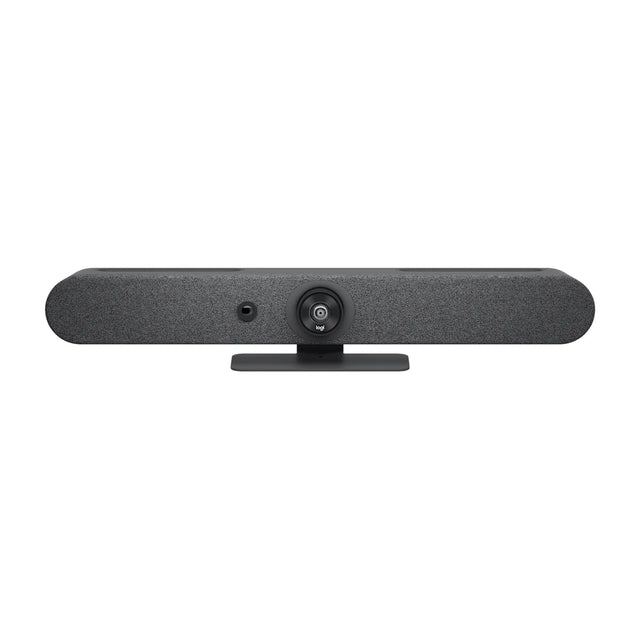
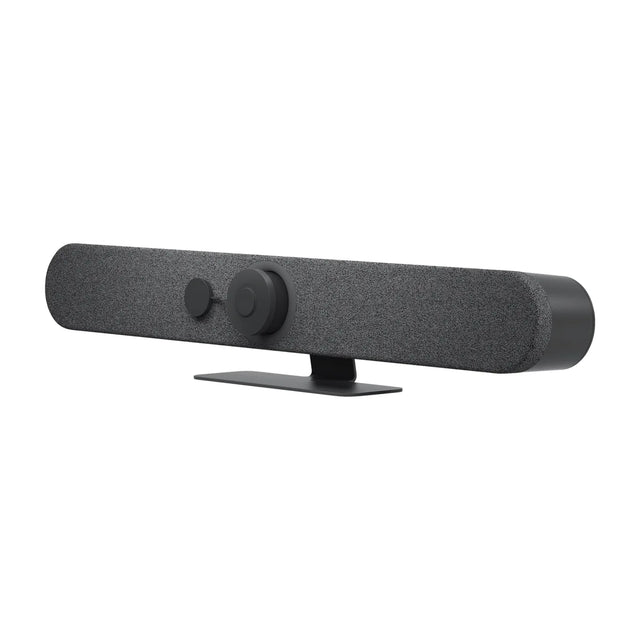
The best Zoom conference room camera is usually an all-in-one video bar that runs Zoom Rooms on its own: a Logitech Rally Bar Huddle or Neat Bar Generation 2 for small rooms, a Logitech Rally Bar Mini or Poly Studio X52 for mid-size rooms, and a Neat Bar Pro or Poly Studio X72 for large rooms. If the room already has a Zoom Rooms PC, or people just bring laptops, a USB camera or bar does the job for less.

Two ways to run Zoom in a meeting room
| Setup | How it works | Good for |
|---|---|---|
| Zoom Rooms appliance | The video bar runs Zoom Rooms itself (Android-based). Add a touch controller and a Zoom Rooms license. | Dedicated rooms that should start a meeting with one tap |
| Zoom Rooms on a PC/Mac + USB camera | A small room computer runs Zoom Rooms; the camera connects over USB. | Rooms that need a PC, or custom camera and mic layouts |
| BYOD (USB) | Someone plugs a laptop into the bar and runs the normal Zoom app. | Low-cost rooms, mixed Zoom/Teams use, no room license |
The Zoom Rooms license is per room. See Zoom Rooms license cost for how it's sold, and Zoom Rooms vs Zoom Workplace if you're deciding between a room system and BYOD.
Our picks by room size
| Room | Pick | Type | Key specs | Price |
|---|---|---|---|---|
| Huddle (2-4) | Logitech Rally Bar Huddle | Appliance or USB | 4K, 120° FOV, 6 mics, pickup to 7 m (23 ft) | $2,299 |
| Huddle (budget, USB) | Logitech MeetUp 2 | USB | 4K, 120° FOV, 6 mics, pickup to 7 m | $1,079 |
| Small (4-6) | Neat Bar Generation 2 | Appliance or USB | 50 MP, 113° horizontal FOV, 5 m (16 ft) pickup | $4,790 |
| Small/medium | Logitech Rally Bar Mini | Appliance or USB | 4K, motorized pan/tilt, 120° FOV, 7 m pickup | $3,118 |
| Medium | Poly Studio X52 | Appliance or USB | 20 MP 4K, 95° horizontal FOV, pickup to 20 ft | $3,598 |
| Medium/large | AVer VB370A | Zoom Rooms appliance | Dual-lens 4K, 18x total zoom, 10 m pickup | $4,819 |
| Large | Neat Bar Pro | Appliance or USB | Dual 50 MP cameras, 16x hybrid zoom, 10 m (33 ft) pickup | $5,456 |
| Large | Poly Studio X72 | Appliance or USB | Dual 20 MP 4K cameras, pickup to 25 ft | $5,879 |
Prices can change. Specs are manufacturer-published.
Huddle and small rooms
In rooms under about 12 feet deep, field of view matters more than zoom. The Rally Bar Huddle and MeetUp 2 both have a 120° diagonal lens, so people sitting right next to the screen stay in frame. The Rally Bar Huddle can run Zoom Rooms natively when paired with a Logitech Tap IP; the MeetUp 2 is a USB camera for a Zoom Rooms PC or a laptop.
The Neat Bar Generation 2 is built around Zoom and Teams and ships with a Neat Pad controller in its kit. It's a strong choice if you want a room that's simple for non-technical staff.
Medium rooms
For 6 to 10 seats, look for a bar with either optical PTZ or a high-resolution sensor that can crop in on people at the far end. The Rally Bar Mini adds motorized pan and tilt; the Poly Studio X52 uses a 20 MP sensor and Poly DirectorAI speaker framing. Both run Zoom Rooms without a PC.
If you prefer a Zoom Rooms PC, the Poly Studio V52 is the USB version of the X52.
Large rooms and boardrooms
Large rooms need real reach, both for the camera and the mics. Neat Bar Pro pairs a wide and a telephoto camera with a 10 m (33 ft) mic pickup. Poly Studio X72 uses two 4K cameras (120° and 70° horizontal). The Logitech Rally Bar has a 5x optical / 15x total zoom and accepts Rally Mic Pods for long tables.
For very long rooms, a separate PTZ camera on a Zoom Rooms PC may be better. See best PTZ cameras for conference rooms.
Multi-camera rooms with Intelligent Director
Zoom's Intelligent Director uses more than one camera to pick the best angle on each person. A Neat Center placed on the table adds a 360° view to Neat Bar Pro or Board Pro rooms. Learn more in Zoom Rooms Intelligent Director and multi-camera.
How to choose
- Measure the room. Distance from the screen to the farthest seat decides whether you need zoom.
- Decide appliance, PC or BYOD. Appliances are simplest; PCs give more flexibility.
- Check certification. Use devices on Zoom's certified list. See Zoom Rooms certified hardware.
- Plan the controller. Appliance rooms need a touch controller; see best Zoom Rooms controllers.
For a broader list, see best Zoom Rooms hardware or compare options side by side on our compare tool.
Not sure which size you need? Send us the room dimensions and we'll suggest a Zoom setup.
Related guides
Outfitting several rooms, or reselling? Get a volume quote or apply for wholesale pricing →