Download Zoom Rooms for Windows or macOS from Zoom's Download Center (zoom.us/download), under "Zoom Rooms for Conference Room." Install it on the dedicated room computer, install the Zoom Rooms Controller app on the room's touch panel or tablet, then sign in with the room's activation code. Appliance video bars that run Zoom Rooms don't need a download: the app is built in and updates through Zoom.

Which download do you need?
| Device | What to install | Where |
|---|---|---|
| Windows room PC | Zoom Rooms for Conference Room (Windows) | Zoom Download Center |
| Mac mini room computer | Zoom Rooms for Conference Room (macOS) | Zoom Download Center |
| iPad controller or scheduling display | Zoom Rooms Controller / Zoom Rooms app | Apple App Store |
| Android tablet | Zoom Rooms Controller | Google Play |
| Appliance video bar or controller | Nothing; Zoom Rooms is built in | Updates via Zoom web portal |
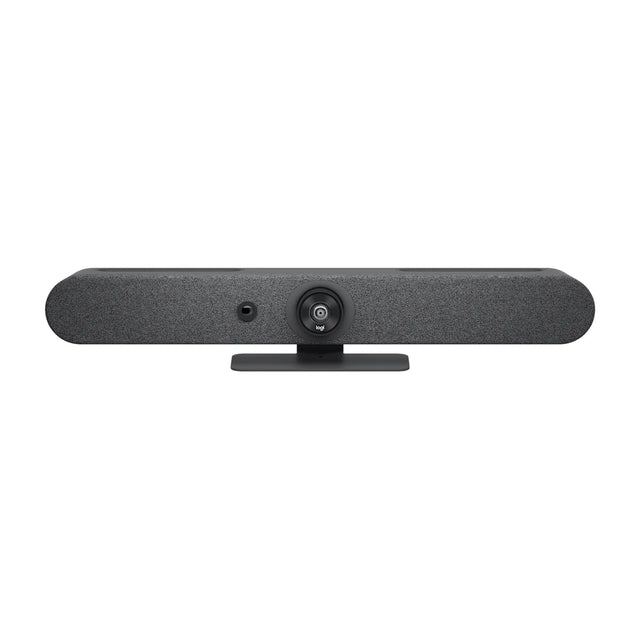
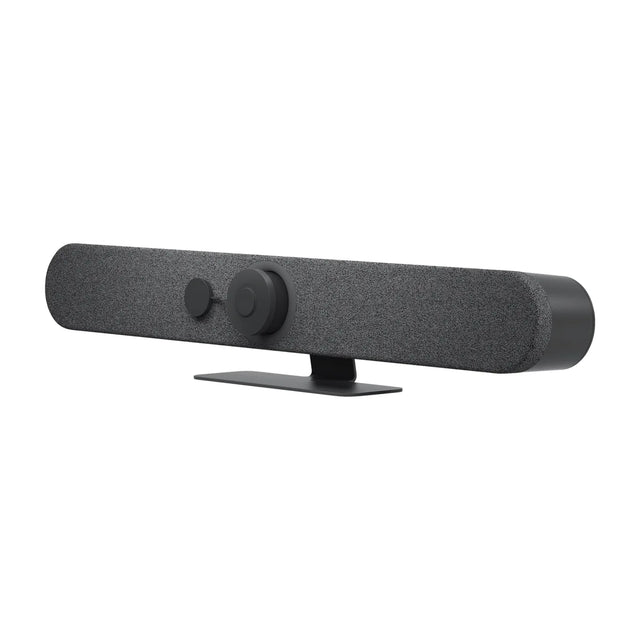
Appliance examples include the Logitech Rally Bar Mini, Poly Studio X52 and AVer VB370A. Check Zoom Rooms certified hardware.
Before you install
- Create the room in the Zoom web portal and note its activation code. See Zoom Rooms admin portal.
- Make sure the room has a Zoom Rooms license.
- Use a dedicated computer that meets Zoom's system requirements. See Zoom Rooms requirements.
- Connect the camera, microphones, speakers and displays first.
How to install Zoom Rooms on Windows
- On the room PC, go to Zoom's Download Center and download Zoom Rooms for Conference Room.
- Run the installer and follow the prompts.
- Launch Zoom Rooms. Enter the activation code from the web portal, or sign in with admin credentials and choose the room.
- In Zoom Rooms settings, select the camera, microphone and speaker.
- Set Windows to sign in automatically to the local account the room uses, and disable sleep.
How to install Zoom Rooms on a Mac
- Download Zoom Rooms for Conference Room for macOS from the Download Center.
- Open the installer package and follow the prompts.
- Launch Zoom Rooms and sign in with the activation code.
- Grant camera, microphone and screen recording permissions when macOS asks.
- Turn off sleep and set the Mac to log in automatically.
Install the controller
- On the touch panel or tablet, install the Zoom Rooms Controller app (or select Zoom Rooms mode on a purpose-built controller such as Logitech Tap).
- Sign in and select the same room, or enter the pairing code shown on the room display.
If pairing fails, see Zoom Rooms pairing code.
What is Zoom Rooms kiosk mode?
"Kiosk mode" means two different things for Zoom Rooms:
Virtual receptionist kiosk. Zoom Rooms can run as a lobby kiosk: visitors tap the screen to start a video call with a remote receptionist or help desk. It's set up in the room's settings in the Zoom web portal and is typically used on a display or board at a front desk.
Locking down the room PC. For conference rooms, the goal is a PC that boots straight into Zoom Rooms and can't be used for anything else. Zoom Rooms runs full screen and protects its settings with a passcode (Zoom Rooms passcode). Complete the lockdown on the Windows side: use a dedicated local account with automatic sign-in, disable sleep and notifications, and apply your IT team's device lockdown policies. Follow Zoom's current Windows setup guidance for the recommended configuration.
On iPads used as controllers, use Guided Access or a single-app mode through your MDM to lock the tablet to the Zoom Rooms app.
The easiest way to avoid PC lockdown entirely is an appliance bar, which runs only Zoom Rooms.
After installing
- Enable automatic updates, or schedule them out of hours. Update Zoom Rooms.
- Link the room's calendar. Calendar integration.
- Run a test meeting. Test a video conferencing system.
Full room setup, including hardware: Zoom Rooms setup. Problems: Zoom Rooms troubleshooting.
Would you rather skip the PC entirely? Ask us about appliance Zoom Rooms bars.
Related guides
Outfitting several rooms, or reselling? Get a volume quote or apply for wholesale pricing →