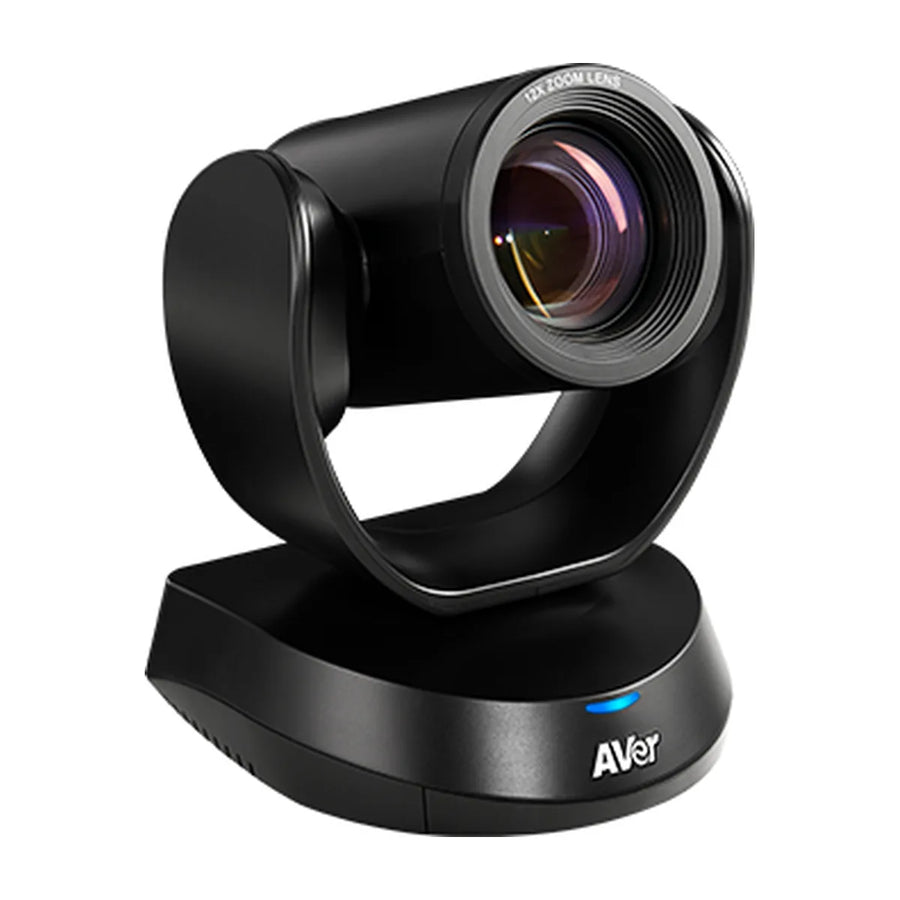
The AVer CAM520 Pro3 is a PTZ camera for medium and large rooms and boardrooms. This guide covers price, room size, Teams, Zoom and Google Meet support, what's in the box and how it compares.

Quick facts
| Spec | Detail |
|---|---|
| Price | $1,682 |
| Part number | COM520PR3 |
| Best for | Medium and large rooms and boardrooms |
| Platforms | Teams, Zoom, Google Meet and BYOD/USB |
| Mode | USB |
| Zoom | 36X total zoom (12X optical) |
| Power | 12V/2A adapter or PoE+ (802.3at) |
| Warranty | Camera 3 years, accessories 1 year |
What is the CAM520 Pro3?
The CAM520 Pro3 is AVer's workhorse USB PTZ conference camera for medium, large and long rooms. It has a 12x optical lens (36x total zoom), ±170° pan, PoE+ support and three simultaneous outputs: USB, HDMI and IP.
AI features include SmartFrame, Preset Framing for presenters and Smart Composition. AVer lists Teams, Zoom, Google Meet and RingCentral certification.
It is camera only, with no mics or speaker, so budget for room audio. It replaces the CAM520 Pro2.
Who the CAM520 Pro3 is for
- Good fit: medium and large rooms and boardrooms; BYOD rooms and PC-based rooms, where any meeting app has to work.
- Skip it for: rooms that want one-touch join with no PC (pick an appliance bar).
How much does the CAM520 Pro3 cost?
The CAM520 Pro3 is $1,682. Pricing for multiple rooms, education and government is available on request. See the CAM520 Pro3 price and availability or get a quote for multiple rooms. Price and total room cost
What size room is the CAM520 Pro3 for?
We recommend it for medium rooms (6–10 people) and large rooms (10–16 people) and boardrooms (16+ people). Field of view: 73° horizontal. Room size details
Does the CAM520 Pro3 work with Teams, Zoom and Google Meet?
It's certified for Teams, Zoom and Google Meet and works with any app over USB, including Teams, Zoom, Google Meet and Webex. It's a USB device: plug it into a laptop or room PC and it shows up as a camera in any meeting app. Platform details
What's in the box
- CAM520 Pro3 unit
- Remote control
- USB2.0 type-B to type-A cable (5m)
- Power adapter (3m)
- Wall-mount bracket
- 1/4" tripod screw
- Mini DIN9 to mini DIN8 RS232 adapter
- QR code card
CAM520 Pro3 vs similar PTZ cameras
| Model | Brand | Rooms | Power | Price |
|---|---|---|---|---|
| CAM520 Pro3 | AVer | Medium, Large, Boardroom | 12V/2A adapter or PoE+ (802.3at) | $1,682 |
| CAM550 | AVer | Medium, Large, Boardroom | 12V/2A or PoE+ (802.3at) | $2,110 |
| UVC86 | Yealink | Medium, Large, Boardroom, Classroom | — | $2,246 |
| CAM570 | AVer | Medium, Large, Boardroom | 12V/2A or PoE+ (802.3at) | $2,660 |
CAM520 Pro3 vs CAM550: full comparison · All CAM520 Pro3 alternatives
CAM520 Pro3 compared with
- CAM520 Pro3 vs Logitech Rally AI Camera
- CAM520 Pro3 vs Logitech Rally AI Camera Pro
- CAM520 Pro3 vs Poly Studio E60
- CAM520 Pro3 vs Poly Studio E70
Accessories for the CAM520 Pro3
- AVer FONE540: Expandable USB conference speakerphone, daisy-chain
- AVer FONE700: Ceiling speakerphone + DSP hub, daisy-chain up to 4
FAQ
Is it 4K?
No. The CAM520 Pro3 is Full HD (1080p60), with a 12x optical lens aimed at long rooms.
Does it have a microphone?
No. Pair it with a speakerphone such as the AVer FONE540 or FONE700, or buy the VC520 Pro3 bundle.
Can it run on PoE?
Yes, PoE+ (802.3at).
Is the CAM520 Pro2 still sold?
AVer's CAM520 Pro2 page now redirects to the Pro3.
Where is the CAM520 Pro3 manual?
AVer publishes it: CAM520 Pro3 user manual (PDF).
More CAM520 Pro3 guides
- CAM520 Pro3: setup guide
- CAM520 Pro3: troubleshooting
- CAM520 Pro3: mounting and placement
- CAM520 Pro3: Teams, Zoom and Google Meet
- CAM520 Pro3: what room size it covers
- CAM520 Pro3: price and total room cost
- CAM520 Pro3: full specs
- CAM520 Pro3: alternatives compared
- CAM520 Pro3: factory reset
- CAM520 Pro3: admin login and settings
- All AVer PTZ cameras compared
Specs are AVer's published figures. Prices can change.
Related guides
Outfitting several rooms, or reselling? Get a volume quote or apply for wholesale pricing →


