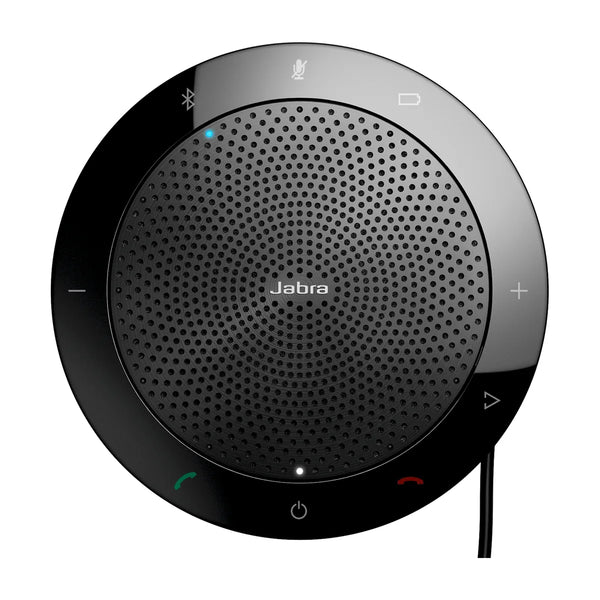

Choosing between the Jabra Speak 510 and the Jabra Speak2 75? Here's how they differ on room size, platforms, audio and price, and which one fits your room.

Short answer: pick the Speak 510 if you want the one that costs $253 less and is sized for smaller rooms, so you don't pay for range you won't use. Pick the Speak2 75 if you want the one that covers bigger rooms (up to small rooms) and also supports Zoom and Google Meet.
Both are USB speakerphones; the difference is audio and price.
Side by side
| Speak 510 | Speak2 75 | |
|---|---|---|
| Price | $157 | $410 |
| Rooms | Focus, Huddle | Huddle, Small |
| Platforms | Teams and BYOD/USB | Teams, Zoom, Google Meet and BYOD/USB |
| Microphones | — | 4 digital MEMS, pickup up to 2.5m |
| Talk time | Up to 15 hours | Up to 32 hours |
| Dimensions | — | 132.5mm x 35mm (Ø x H) |
| Weight | 195 g / 6.88 oz | 466g |
| Warranty | — | 2 years |
| Microphone | Omnidirectional | — |
| Standby time | Over 200 days with automatic power off | — |
| Charging time | Approximately 2 hours | — |
| Certifications | Certified for Skype for Business, optimized for leading UC platforms | — |
| Room size | — | Up to 4.5m x 4.5m / 14.76ft x 14.76ft |
| Speaker | — | 65mm, 88 dBspl @ 0.5m peak |
| Connections | USB and Bluetooth; Bluetooth: Bluetooth 3.0, range up to 100 ft / 30 m; Bluetooth profiles: A2DP (v1.2), Hands Free Profile (v1.6), Headset Profile (v1.2), AGHFP (v1.6) | USB-C or USB-A, Bluetooth (smartphone/tablet); Bluetooth: 5.2, range up to 30m |
Specs are Jabra's published figures. Prices can change.
The key differences
- Microphones: the Speak2 75 has 4 digital MEMS, pickup up to 2.5m; the Speak 510 doesn't list microphones.
- Platforms: the Speak 510 lists Teams and BYOD/USB; the Speak2 75 lists Teams, Zoom, Google Meet and BYOD/USB.
Which should you buy?
- Choose the Speak 510 if you want the one that costs $253 less and is sized for smaller rooms, so you don't pay for range you won't use. Best for focus and huddle rooms, with Teams and BYOD/USB. See the Speak 510
- Choose the Speak2 75 if you want the one that covers bigger rooms (up to small rooms) and also supports Zoom and Google Meet. Best for huddle and small rooms, with Teams, Zoom, Google Meet and BYOD/USB. See the Speak2 75
Also compared
- Poly Sync 20 vs Jabra Speak 510
- Jabra Speak 510 vs Logitech ConferenceCam Connect
- Jabra Speak 510 vs Yealink CP900
- Jabra Speak2 75 vs Poly Sync 40
- Jabra Speak2 75 vs Poly Sync 60
Still deciding? Read the Speak 510 guide and the Speak2 75 guide, see Speak 510 alternatives and Speak2 75 alternatives, compare them interactively, or send us your room details for a recommendation.
Related guides
Outfitting several rooms, or reselling? Get a volume quote or apply for wholesale pricing →


